Free JSON Formatter & Validator —
paste, then beautify, validate, explore
A 100% free JSON formatter. Paste JSON to instantly pretty-print it, validate it with exact line/column error positions, and explore its structure in a collapsible tree view. Indent 2/4/tab, minify, copy & download. Your input is never sent to a server — everything runs in your browser, so even sensitive API responses and token-laden JSON are safe to paste.
Any modern browser · no install · input never leaves your device (all processing happens locally)
{ } Use it now
The widget below is the actual tool. Paste JSON on the left and hit Format to see the prettified result and stats on the right. Minify · tree view · copy · download and file drag-and-drop are all supported. (shortcut Ctrl/⌘ + Enter)
Sample output
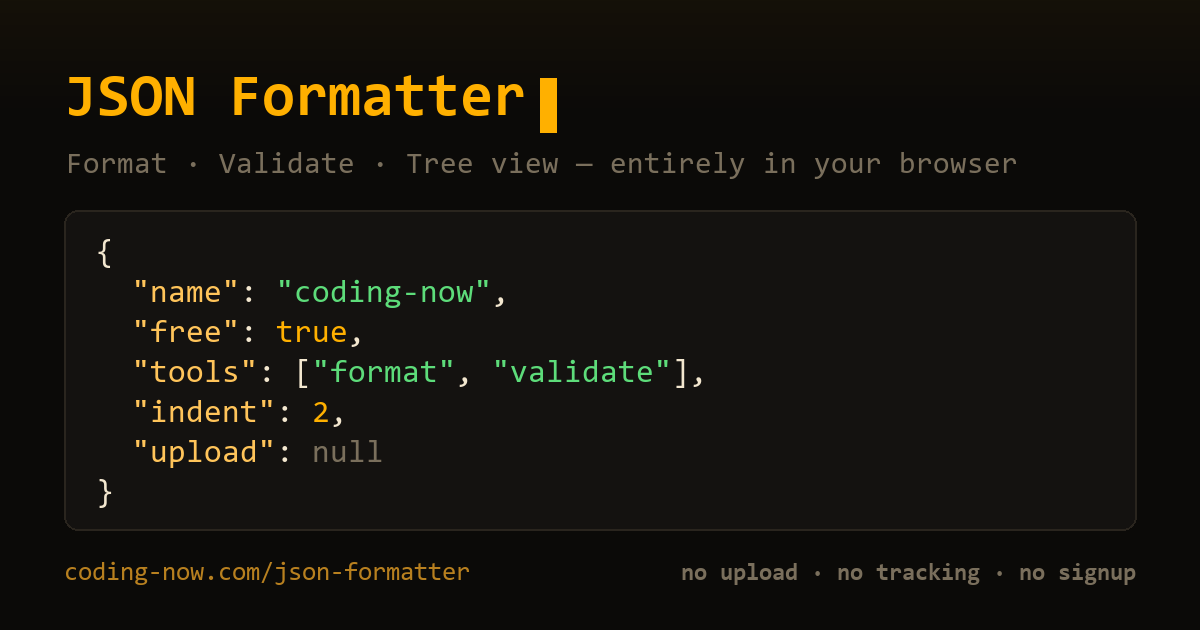
Pasted JSON, neatly formatted. Keys, strings, numbers, booleans, and null are color-coded.
Why I built it
Many online JSON tools are buried in ads, or send your JSON to a server to process it. But the JSON we work with often contains things that should never be sent anywhere — API responses, customer data, auth tokens.
This tool is a single HTML file with zero external libraries. No ads, no login, no upload — everything finishes inside your browser, so even sensitive data is safe to format and validate.
Who it's for
- Backend / API developers — pretty-print one-line API responses to read the structure and spot errors fast
- Frontend developers — validate configs and mock data, inspect key structure in the tree
- Data / QA — make log and payload JSON readable, minify to cut size
- Learners — see JSON syntax visually and find exactly where it breaks
30-second how-to
Step 1 — Paste JSON
Paste JSON into the left pane, or drag and drop a .json file. You can also load a sample.
Step 2 — Format / Minify / validate
Hit Format to apply an indent (2/4/tab), or Minify to compress to one line. Syntax errors are reported with line/column and a message.
Step 3 — Explore, copy, download
Expand the structure in the tree view, then copy the result to the clipboard or download it as a .json file.
📖 What Unexpected token '<' and Unexpected end of JSON input actually mean, and how to fix each JSON error: JSON parse errors explained
📖 A .json file will not open, or shows up as one long line — opening it in Edge, Chrome, Notepad or VS Code, compared on a real file: How to open a JSON file
📖 A long Base64 field in an API response (starting JVBERi0…) that you need back as a PDF or image — certutil or PowerShell, nothing installed: Turn Base64 into a file
Feature summary
| Feature | Detail |
|---|---|
| Format | Indent 2 / 4 / tab |
| Minify | Strip whitespace + show % saved |
| Validate | Line/column position + message + line highlight |
| Tree view | Collapsible · color by type · key/item counts |
| I/O | Drag & drop · copy · .json download |
| Stats | UTF-8 bytes · key count · max nesting depth |
| Server upload / ads | None — everything runs in your browser |
FAQ
Q. Is my JSON uploaded to a server?
No. All parsing, formatting, validation, and tree building happen only in your browser. API responses, customer data, or token-laden JSON are never uploaded, and everything is gone when you close the page.
Q. Does it tell me where my JSON is broken?
Yes. On a parse failure it shows the exact line and column plus the message, and highlights the offending line — so missing quotes, trailing commas, and unbalanced brackets are quick to find.
Q. Can I choose indentation, or minify?
Indent with 2 spaces, 4 spaces, or a tab, or minify to a single line. It also shows how many bytes minifying saved.
Q. Can it handle large files?
It accepts input up to 5 MB and warns when the result is very large. Drag and drop a .json or text file to load and format it automatically.
Q. Is it really free?
100% free with no signup, no payment, and no ads. It's a single-file tool, so there is nothing to install.
{ } Free · no ads · private
I built this because formatting one piece of JSON shouldn't mean sitting through ads or shipping your data to a server. Your JSON never leaves the browser, so even sensitive data is safe to format and validate.
Found this useful? ❤️ Support the maker
Any amount helps. Sent directly with no ad or processing fees.
Comments 0
No comments yet. Be the first.
Only members can comment.
Comments with ads, abuse, personal information or illegal content are hidden or removed. Comments are shown with your nickname. Privacy Policy