Free QR Code Generator —
Make QR codes online in seconds
A 100% free QR code generator. Make text and URL QR codes, plus WiFi access · vCard contacts — all in one place — and finish with a center logo · custom colors for a brand QR. The preview updates instantly and you can download as PNG (web · email) or SVG (print · scaling). Four error-correction levels, full UTF-8 with emoji. Single HTML file, no signup, no ads, no payment — everything runs in your browser, nothing is sent to a server.
Any modern browser · no install · input never leaves your device (all processing happens locally)
🔳 Use it now
The widget below is the actual tool — pick a Text/URL · WiFi · vCard tab, type your details, and the QR preview updates instantly. Add a center logo and colors, then download PNG / SVG with one click.
Sample output
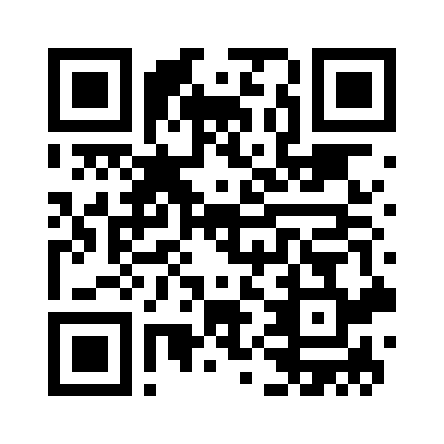
The QR code above was generated by this tool (PNG, high resolution). Scan it with your phone camera to see.
Why this exists
Most online QR generators are buried in ads, demand a signup, or paywall the resolution / file format. Generating one QR code shouldn't require handing over your email and dismissing a \"Pro plan\" popup.
This tool runs as a single HTML page right in your browser. No ads, no login, no data sent to a server. PNG and SVG downloads are both free and unlimited.
Who it's for
- Restaurant / shop owners — menu, Wi-Fi, payment links printed as QR
- Marketers / designers — landing page · business cards · posters with QR. SVG for unlimited scaling.
- Teachers / presenters — embed handout URLs as QR on slides so the audience can grab the materials.
- Developers — point a phone at a QR of
http://192.168.0.x:3000to jump into a mobile test environment instantly. - Event organizers — tickets, seating maps, participant surveys as QR
30-second walkthrough
Step 1 — Type your text or URL
Type into the input on the widget above. UTF-8, Korean, emoji — all supported. The QR preview updates as you type.
Step 2 — (Optional) tweak options
- Error correction — L (7%) / M (15%) / Q (25%) / H (30%). Use H for prints exposed to wear and tear.
- Colors — match your brand. Keep enough contrast (dark foreground on light background).
Step 3 — Download PNG or SVG
PNG — high-resolution raster for web / email / social. SVG — vector for print / scaling / posters.
Feature summary
| Feature | Detail |
|---|---|
| QR types | Text/URL · WiFi access · vCard contact |
| Logo embed | PNG·JPG·SVG center logo (auto H level, size 10–30%) |
| Output formats | PNG (raster) · SVG (vector, logo embedded) |
| Error correction | L 7% / M 15% / Q 25% / H 30% |
| Colors | Customizable foreground / background |
| Encoding | UTF-8 (Korean / Japanese / Chinese / emoji) |
| Data sent to server | None — everything happens in your browser |
| Ads / signup | None |
Use cases
Cafe / restaurant menus
Turn your online menu (PDF or web page) URL into a QR and stick it on every table. Customers point a camera and see the menu on their phone. Print the SVG download at any size — still sharp.
Presentation slides
Drop a QR for a handout URL in a slide corner. The audience can grab the materials mid-talk.
Social profile / business cards
Bundle your Instagram / LinkedIn / blog URLs in a Linktree-style page, then put that URL on your card as a QR.
Developer — mobile testing
Stop typing http://192.168.0.x:3000 on your phone — make a QR of it and scan to jump in.
Tech stack
No build step, no server, no framework — the tool runs directly in your browser. All processing happens on your device, so it's fast and your input never leaves the browser.
- QR engine — qrcode-generator 1.4.4 by Kazuhiko Arase (MIT)
- Fonts — JetBrains Mono + Gowun Dodum (Google Fonts, OFL)
- Theme — amber CRT terminal (dark mode)
FAQ
Q. Does this work offline?
First load fetches Google Fonts and the QR engine from a CDN. After that, input / QR generation / download all happen inside your browser. Nothing is sent to a server — even sensitive content stays private.
Q. Is there a character limit?
Effectively over 7,000 characters fit. Denser data means a finer grid that's harder to scan from a distance — shorten the URL or drop the error correction level (L) for big payloads.
Q. PNG vs SVG?
SVG is vector — great for print, scaling, posters. PNG is raster but displays everywhere instantly — web, email, social. Both free and unlimited from this tool.
Q. Does it support Korean / Japanese / emoji?
Yes — UTF-8 including emoji is fully supported. Non-ASCII chars take more bytes, so the QR grid grows fast.
Q. Does scanning a WiFi QR connect automatically?
Enter SSID, password and encryption in the WiFitab and it's encoded as the standard WIFI: format. Both the iPhone camera and the default Android camera (or Google Lens) show a “Join network” prompt on scan — one tap connects. Great for cafes, shops and offices.
Q. How does a vCard QR save a contact?
Fill name, phone, email, company, title and website in the vCardtab to generate a vCard 3.0 QR. After scanning, tapping “Add to Contacts” saves a new contact with every field filled into the phone's default contacts app.
Q. Can I put a logo in the center?
Yes. Upload a PNG·JPG·SVG under Logo (optional); it sits in the center and error correction auto-locks to H (30% recovery) so it still scans. Keep the logo under ~20% and test-scan before printing. The SVG download embeds the logo too, staying a single self-contained file.
Q. Can I use it commercially?
Yes — the generated QR codes are free for any commercial use: menus, posters, tickets, business cards, SNS profiles, anything. Note that the copyright of any logo image you embed is separate, so use images you own or have rights to.
🔳 Free · No ads · Private
Made because making one QR shouldn't require a signup or a paid plan. The text or URL you type never leaves your browser — even sensitive content like private links stays safe.
Found this useful? ❤️ Support the maker
Any amount helps. Sent directly with no ad or processing fees.
Comments 0
No comments yet. Be the first.
Only members can comment.
Comments with ads, abuse, personal information or illegal content are hidden or removed. Comments are shown with your nickname. Privacy Policy