StarCraft Minimap Radar
A free overlay that watches the SC:R minimap pixel-by-pixel and alerts you to enemy movement and main-base incursions in real time. Never touches game memory or D3D — EULA-safe.
Just unzip and run. No installer, .NET runtime bundled. Release repository
Demo video
See the minimap pixel radar in action — a quick look at how it tracks enemy movement in a real game.
Tired of missing the minimap?
Your hands are building up the base, your eyes are stuck on a fight, and meanwhile a single enemy scout slips in along the yellow path and slips back out. You already know where the next harass is coming.
StarCraft Minimap Radar watches only the red pixels (= enemy) on the minimap. The moment a new movement appears, it pops up in the status window, and the instant red crosses into your main-base zone, it triggers a system sound and a red pulse warning.
It never touches game memory or D3D. It only captures and analyzes your own screen, so there is no EULA risk — same safety profile as OBS screen sharing.
Step 1 (required) — Switch SC:R to “Windowed [Fullscreen]”
The overlay needs to float on top of the game, so it does not work in true Fullscreen mode. In-game, go to Options → Video → Display Mode and select Windowed [Fullscreen].
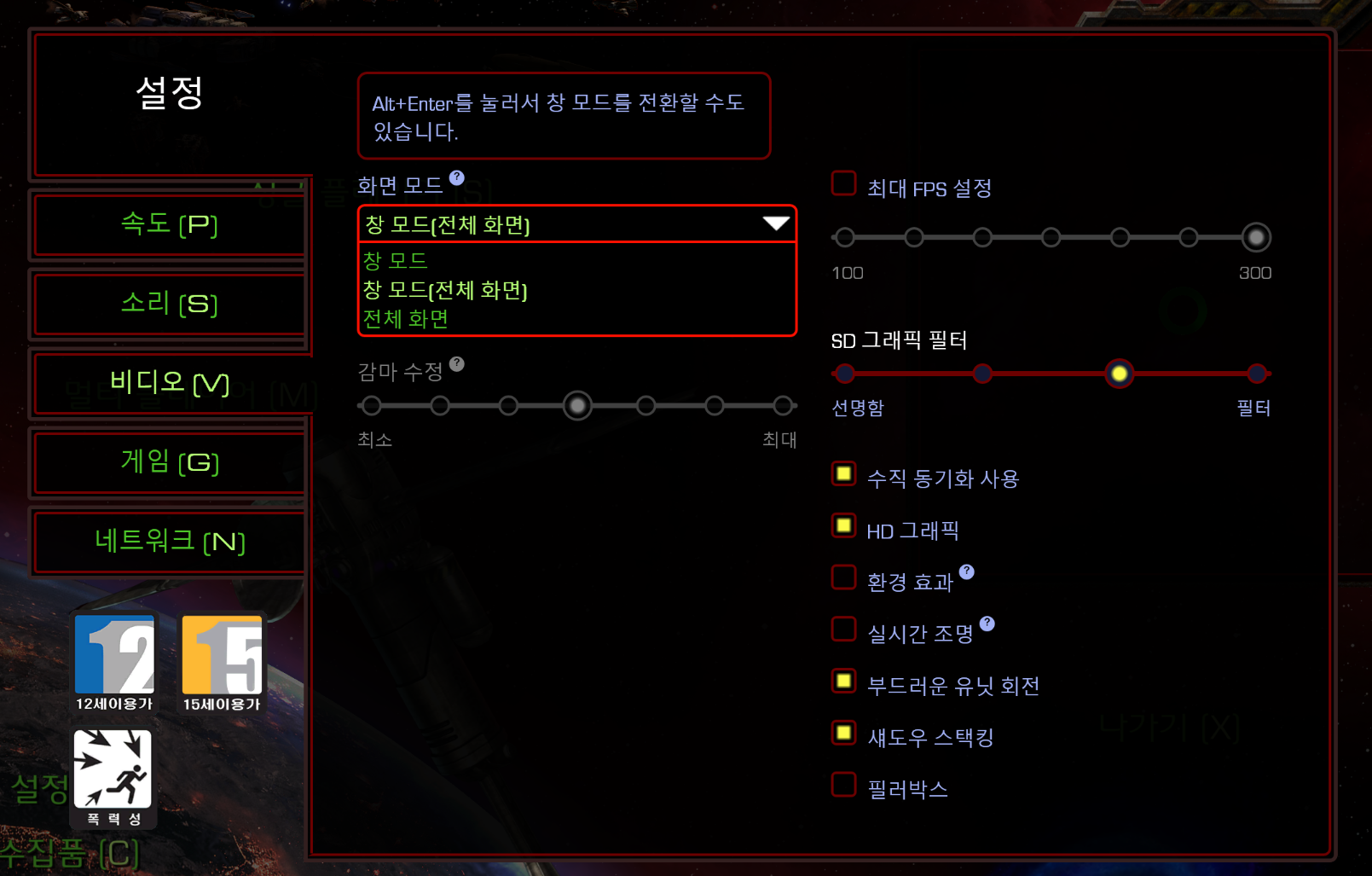
Pressing Alt+Enter in-game also switches to windowed mode. Set it once and it sticks for next sessions.
Step 2 — Download and run
Use the download button above or grab StarCraftMinimapRadar-0.5.1-portable-x64.zip from the release repository. Just unzip — no installer, the .NET runtime is bundled into the exe.
Windows SmartScreen may warn once on first run (it's a free self-signed tool). Click More info → Run anyway.
A control panel opens on launch:
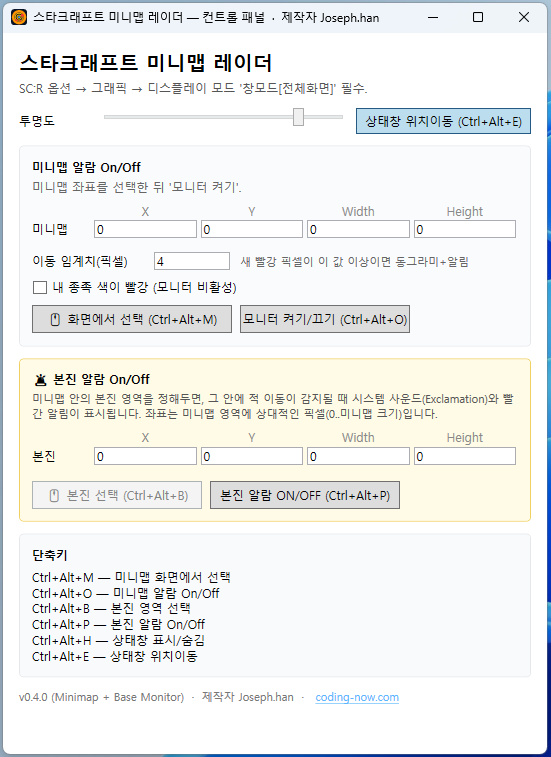
Three steps to be ready:
- 🖱 Pick on screen (Ctrl+Alt+M) — with the game visible, click this, drag a box over the minimap, press Enter, and the coordinates are captured.
- 🖱 Pick main base (Ctrl+Alt+B) — drag a box over your starting base inside the minimap. Enemies entering this box trigger the base alarm.
- Once coordinates are set, monitoring turns on automatically — no need to re-toggle every session.
From the next launch, coordinates and monitor-ON state are restored. Set them once.
Step 3 — Park the status window next to the game
The status window is a click-through overlay — mouse and keyboard input pass through to the game.
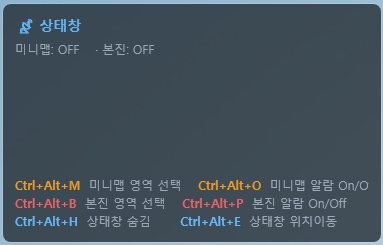
Always visible in the status window:
- Minimap ON/OFF — monitoring state
- Base ON/OFF — base alarm state
- Enemy pixels: NN — total red pixels right now (jumps when new enemies appear)
- Six hotkeys at the bottom — no need to memorize, always visible
To reposition: press Ctrl+Alt+E to enter move mode, drag, press again to lock.
Scenario 1 — Catching the early scout
Two minutes in, the opponent's scout enters along the yellow path while you're busy with gas in your main...
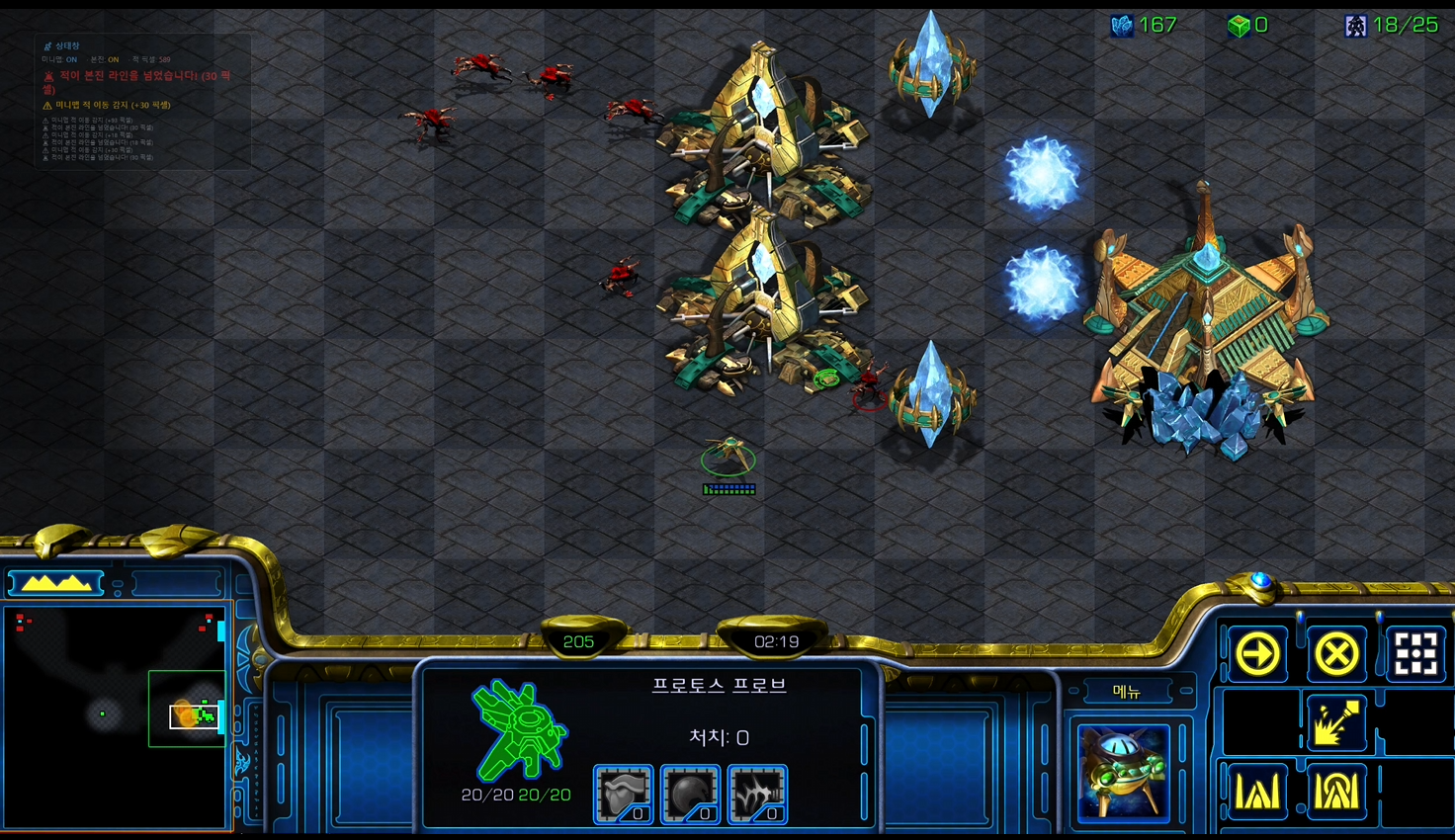
The overlay detects the newly appearing red pixel on the minimap and shows ⚠ Minimap enemy movement (+N px) in the status window. A dashed orangetracking rectangle over your screen's minimap shows what region is being watched.
Sensitivity: Control panel → “Common settings” → Movement threshold combo
- Very sensitive (2 px) — catches a single scout
- Standard (4 px) ← recommended
- Squads only (10 px) — alerts only on larger groups
Scenario 2 — Enemy just crossed the base line!
The base alarm is not a simple “enemy detected.” It fires once on entry into the base zone, and only fires again after the enemy leaves and re-enters (hysteresis). No spammy repeat alarms from units sitting in place.
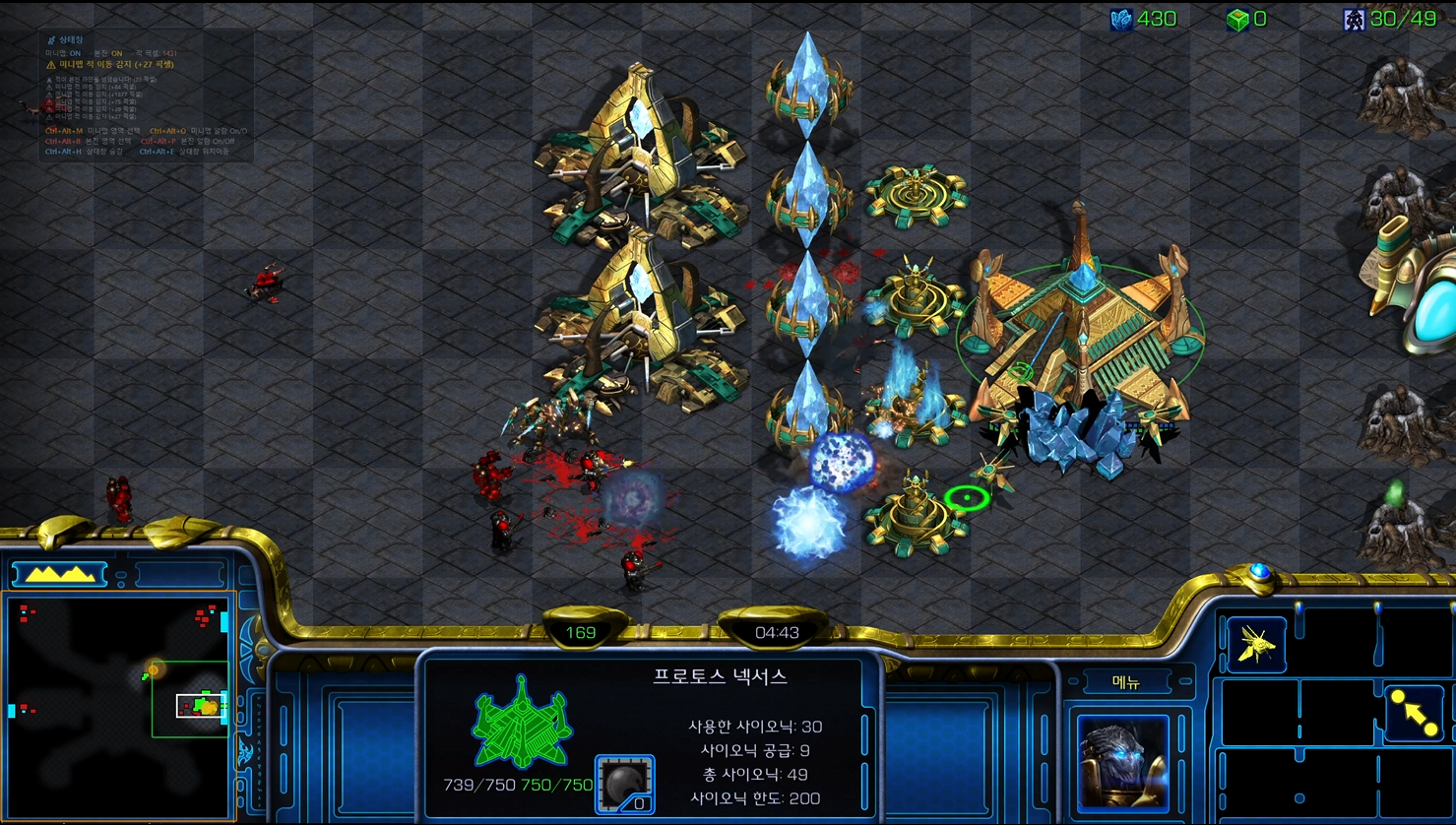
When the line is crossed:
- System sound Exclamation plays
- Large red text in the status window:
🚨 Enemy crossed the base line! (N px) - The base zone on your game screen pulses red
No more “wait, harass arrived already?” moments while building gas.
Scenario 3 — Multi-base harass under simultaneous pressure
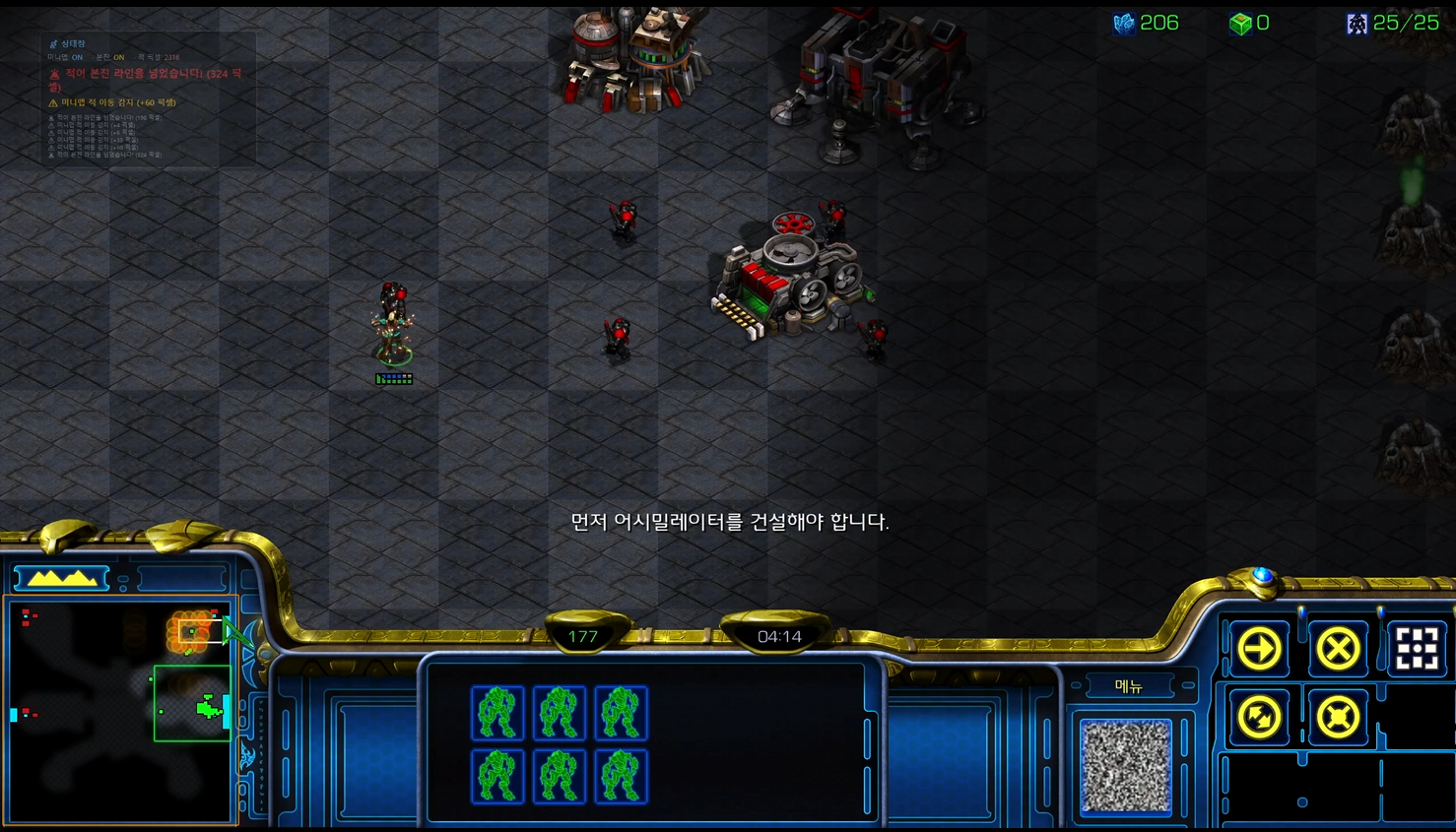
Mid-game: harass on your expansion plus pressure on your main at the same time. Reds pop up all over the minimap. The overlay clusters each location and groups the alerts, and the bottom of the status window stacks the latest 6 alerts.
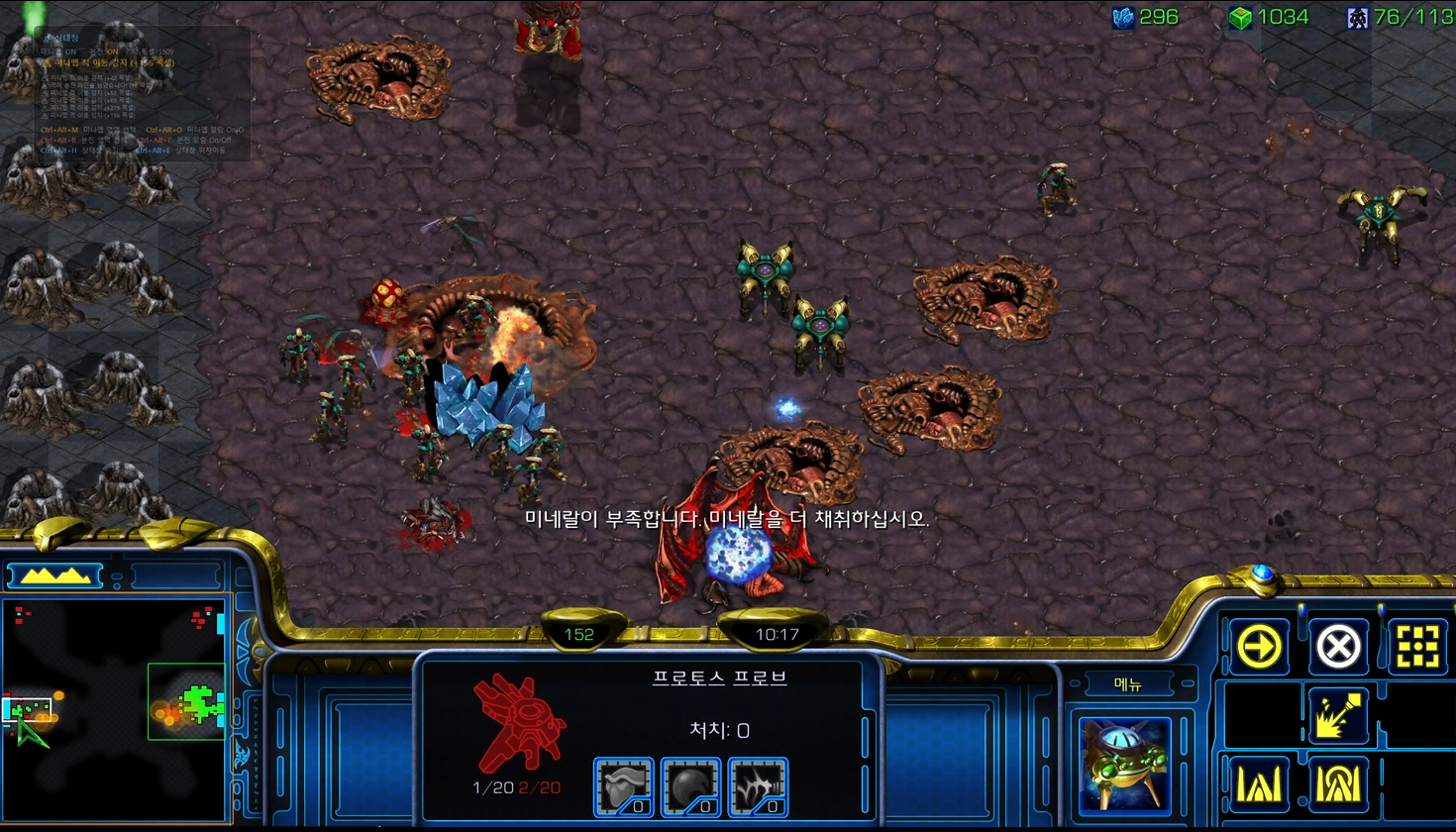
Tune detection sensitivity (Common settings → Detection sensitivity combo) to balance ignoring debris flicker vs catching even single pixels:
- Sensitive — allows some debris flicker (don't miss anything)
- Standard ← recommended
- Conservative — strong filtering of static patterns (fewer false positives)
A per-pixel presence tracker automatically learns and blocks “non-moving static patterns” (building debris, explosion afterimages, etc.), so even on the default setting, post-scout debris rarely triggers a false alarm.
Hotkeys at a glance
| Hotkey | Action |
|---|---|
| Ctrl+Alt+M | Select minimap region (drag + Enter) |
| Ctrl+Alt+B | Select main-base region |
| Ctrl+Alt+O | Toggle minimap alarm |
| Ctrl+Alt+P | Toggle base alarm |
| Ctrl+Alt+H | Show/hide status window |
| Ctrl+Alt+E | Toggle status-window move mode |
Designed so you can toggle alarms or re-pick regions in-game without ever leaving the keyboard.
⚠ Important note
You can't use this if your own race color is red. SC:R always shows enemies in red on the minimap; if you're in the red slot, your own units also show red, making them indistinguishable from enemies. Enable the control panel's “Disable monitor when my slot color is red” option and the monitor auto-disables to prevent false positives.
Most 1v1 ladder games assign player 1 to a non-red slot so this is rarely an issue, but watch for it in campaign or custom games.
❤️ Free + EULA-safe + doesn't touch the game
- Free — grab the portable zip and run. No ads, no payments.
- EULA-safe — never touches the game process. Looks only at your own screen pixels.
- Portable — no installer. .NET runtime bundled into the exe, zero dependencies.
- Korean / English — switch instantly from the top-right of the control panel
This was fun to build, and I hope it makes a few of your games more comfortable. For bug reports and suggestions, reach out via the contact page.
Good games. 🛡️
Found this useful? ❤️ Support the maker
Any amount helps. Sent directly with no ad or processing fees.
Comments 0
No comments yet. Be the first.
Only members can comment.
Comments with ads, abuse, personal information or illegal content are hidden or removed. Comments are shown with your nickname. Privacy Policy